Ecommerce SEO Strategy: How to Build an Organic Revenue Engine (Step by Step)
Paid ads stop the moment you stop paying; organic search keeps selling. This playbook shows the stages an online store goes through to build a revenue engine on organic search.

Ranksul Team
SEO & Link Building Team
How organic revenue compounds
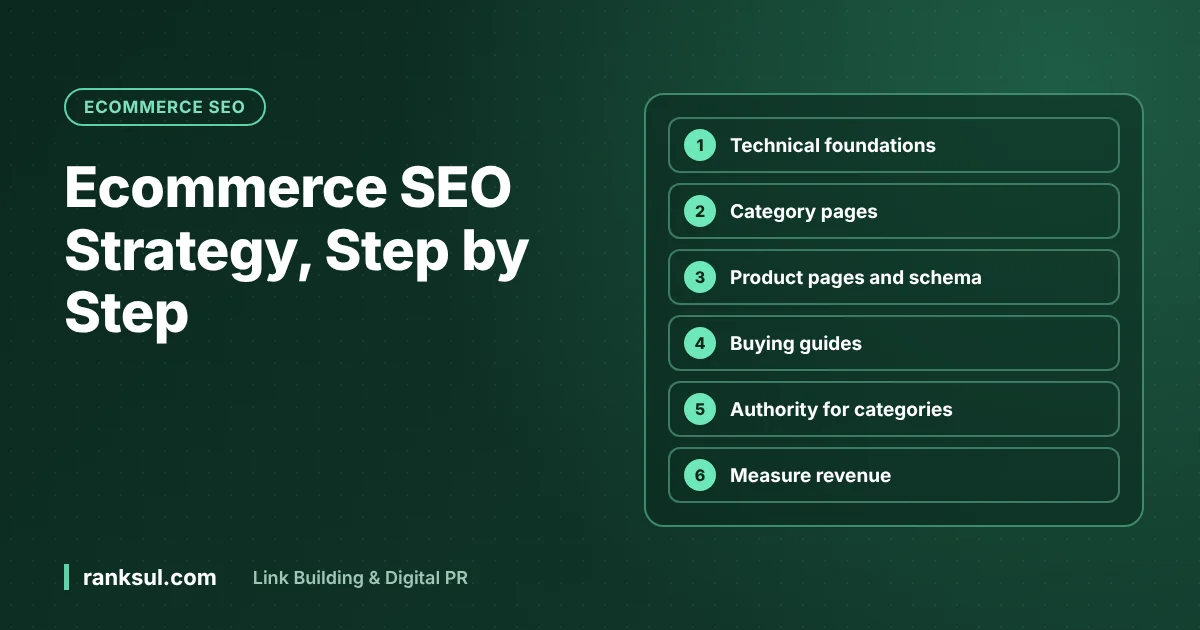
Paid campaigns buy each visit. Organic search earns visits that continue month after month, so a store that ranks for its main categories builds a revenue stream with no cost per click. Reaching seven figures of non-paid sales does not come from one trick; it comes from getting a series of stages right and keeping them right as the catalogue grows.
This playbook describes those stages. Your results will depend on your market, catalogue and margins, but the order of work is the same for most stores.
Stage 1: technical foundations
Online stores create many URLs through filters, sorting and variants. Control them with canonical tags, sensible parameter handling and internal links to canonical pages only, so search engines focus on the pages you want ranked. Keep pages fast and check the Core Web Vitals report in Google Search Console; our article on technical SEO in 2027 covers the details.
- One indexable URL per category and product
- Filters and sort orders canonicalised or kept out of the index
- Out-of-stock pages handled deliberately, not left as soft 404s
- XML sitemaps for categories and products
- Fast images and minimal third-party scripts
Stage 2: category pages that rank
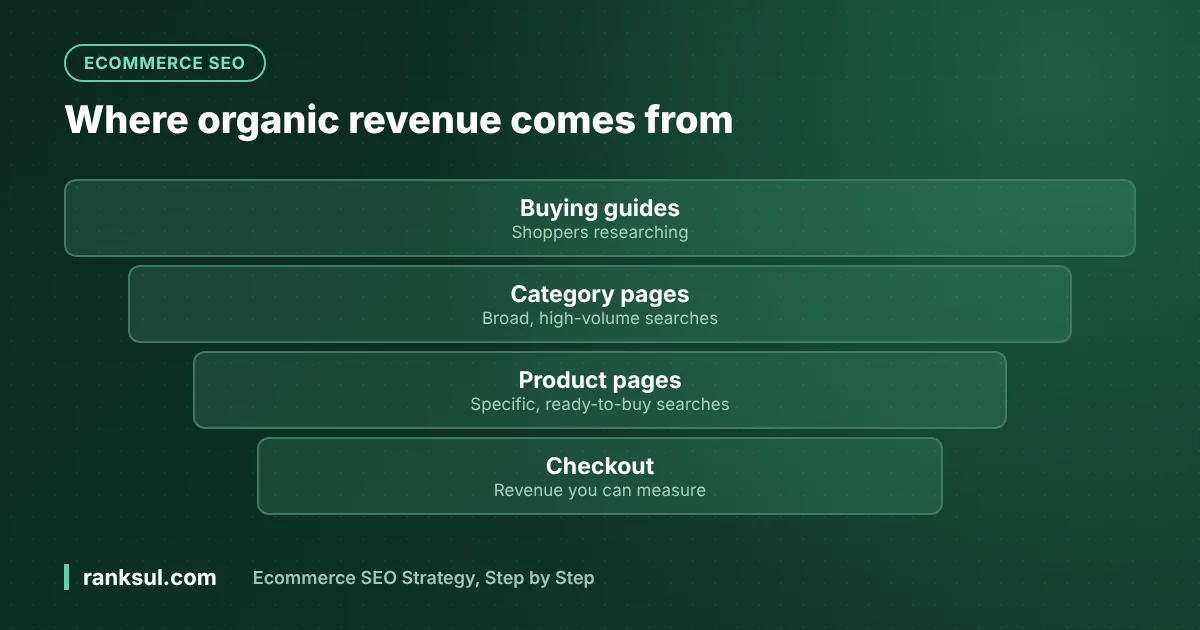
Category pages match the broad searches shoppers make, such as "women's running shoes", and convert well because they show choice. Give each a clear title and heading with its main keyword, a short introduction that helps shoppers choose, useful filters and links to related categories and guides.
Stage 3: product pages and structured data
Write unique descriptions instead of manufacturer copy, answer common questions, show reviews and keep price and availability accurate. Add Product structured data so search engines understand price, availability and ratings, which can make your listings richer in results.
Stage 4: buying guides and comparisons
Shoppers research before they buy. Buying guides, comparisons, size guides and "best for" lists attract them earlier and send them to the right category with internal links. Organise these into topic clusters, as explained in our topical authority guide, and see our SEO content writing service for help producing them.
Stage 5: authority for categories
In competitive markets, category pages need links. Gift guides, product features and expert articles on lifestyle, shopping, home and news publications can link naturally to categories. Ranksul's eCommerce link building service plans these placements, and the marketplace lets you browse lifestyle and other publishers by niche and country.
Selling internationally? Use hreflang for country versions and build links in each market with international link building.
Stage 6: measure revenue, not rankings
Track organic revenue by page type in Google Analytics 4: categories, products and guides. Review which categories grow and which stall, then direct content and links to the ones with the best margins. Repeat each quarter. A free SEO audit is a good starting point if you are unsure where your store is losing traffic.
Keyword research for an online store
Map keywords to page types. Broad product types ("running shoes") go to categories, more specific ones ("women's trail running shoes") to subcategories or filtered pages, model names to product pages, and questions ("how to choose running shoes") to guides. Look at what Google shows for each keyword: if the results are category pages, a blog post will not rank there, and vice versa.
Faceted navigation without index bloat
Filters for size, colour, brand and price can create thousands of URL combinations. Let only valuable combinations with real search demand ("black leather sofas") be indexable pages with their own titles and copy; keep the rest out of the index with canonical tags to the parent category, by not linking them as crawlable links, or with robots rules. Check in Search Console that the number of indexed pages matches what you intend.
Out-of-stock and discontinued products
- Temporarily out of stock: keep the page live, mark availability correctly in structured data, offer alternatives
- Permanently discontinued with a close replacement: 301 redirect to the replacement
- Discontinued with no replacement: redirect to the most relevant category, or return 410 if the page has no links or traffic
- Seasonal products: keep a permanent URL and update it each season
Product structured data and free listings
Product markup with price, availability, reviews and shipping details makes pages eligible for richer results. A Google Merchant Center feed lets products appear in free listings across the Shopping tab and other Google surfaces. Keep the feed, the markup and the visible page consistent: mismatched prices are a common cause of disapprovals.
Link building for ecommerce
Point most links at category pages and buying guides, which last and pass value to products through internal links. Good sources: gift guides and product roundups on lifestyle sites, supplier and manufacturer "where to buy" pages, reviews by niche bloggers, data stories from your sales trends, and editorial placements on relevant publications. See ecommerce link building.
Common ecommerce SEO mistakes
- Copying manufacturer descriptions word for word on every product
- Empty category pages with no text, or text hidden below hundreds of products
- Thousands of thin filter pages indexed
- Deleting product pages with links instead of redirecting them
- Slow pages from heavy apps and scripts
- No internal links from guides to the categories they discuss
Site structure for online stores
Keep important pages within three clicks of the home page: home → category → subcategory → product. Use breadcrumbs on every page, link popular subcategories from the main menu, and add "related categories" links on category pages. A clear structure helps shoppers and search engines find and understand every category.
Writing product descriptions that rank
- Write your own description; do not copy the manufacturer's
- Lead with who it is for and the main benefit
- Include the specifics people search for: size, material, model numbers, compatibility
- Answer common questions on the page (sizing, care, shipping)
- Show reviews and Q&A from real customers
On-page SEO templates for categories and products
Templates let you optimise thousands of pages consistently. Write custom titles for your most important pages and use templates for the rest.
- Category title: "[Category] – [Main modifier, e.g. Women's / Sale] | [Brand]"
- Category H1: the category name as shoppers search it ("Women's Trail Running Shoes")
- Product title: "[Product name] [key attribute: size, colour, model] | [Brand]"
- Meta description: the benefit, price range or free shipping, and a reason to click
- Image alt text: what the image shows, including product name and colour
- URLs: short, readable and stable ("/womens-trail-running-shoes/")
Internal linking that lifts category pages
Category pages rank best when many pages link to them with descriptive anchors. Link to categories from the main menu, from related categories, from every product in that category (breadcrumbs), and from buying guides that mention them. Add "popular in this category" or "shop by" links on the home page for your highest-value categories, and review them seasonally.
International ecommerce SEO
If you sell in several countries, give each its own URL version (a subfolder such as /uk/ or a country domain), localise currency, shipping and returns information, and connect the versions with hreflang. Avoid redirecting visitors automatically by IP, which can stop search engines from seeing other versions. Build links in each market, from sites read in that country.
Ecommerce keyword research step by step
- Start from your category tree and list the main product types
- Use search suggestions, Amazon and marketplace searches, and SEO tools for variants
- Check the search results for each term: category pages, product pages or guides?
- Group terms by intent and assign each group to one page
- Add modifiers people use: material, size, use, price ("under $100"), audience
- Prioritise by search volume, conversion potential and how winnable the results look
Getting help with ecommerce SEO
If you would rather hand the work over, our ecommerce SEO company service covers the audit, category and product optimisation, content and links described above. Shopify stores have their own quirks, which our Shopify SEO consultant service deals with, and ecommerce link building adds authority to categories and guides.
Ecommerce SEO checklist
Use this as a quick check of where your store stands.
- Keyword research done for categories, products and buying guides
- Every important page within three clicks of the homepage
- Filter and sort URLs kept out of the index; one canonical URL per product
- Unique titles, meta descriptions and introductions on every category
- Original product descriptions with specifications and buyer questions answered
- Product structured data and a Google Merchant Center feed
- Fast, mobile-friendly templates and passing Core Web Vitals
- Buying guides and comparisons that link to categories
- Links from relevant publications pointing at categories and guides
- Organic revenue tracked by category in analytics
Ecommerce SEO tools
Google Search Console and Google Merchant Center are free and essential: one shows which searches bring visitors, the other feeds your products into Shopping results. A crawler such as Screaming Frog finds duplicate and broken pages, PageSpeed Insights shows speed problems, and Ahrefs or Semrush cover keyword research and backlinks.
SEO and conversion rate work together
Traffic only matters if it buys. Clear prices, delivery and returns information, reviews, good photos and fast checkout raise the conversion rate of organic visitors, which raises the value of every ranking. Improving conversion often lifts revenue faster than another ten positions.
Frequently asked questions
Should I build links to product pages?
Mostly to categories and guides, which pass authority to products through internal links. Products change too often to be the main target.
How long does e-commerce SEO take?
Technical fixes can help within weeks; category rankings in competitive markets usually take several months of content and links.
Does this work on Shopify and WooCommerce?
Yes. The platform changes how you implement fixes, not the strategy.
Should category pages have text?
Yes, a short, useful introduction above the products and helpful buying information below. It helps searchers choose and gives search engines context.
Is a blog worth it for an online store?
Yes, when posts answer buying questions and link to categories. Guides attract links and early-stage visitors that category pages cannot.
Want Ranksul (ranksul.com) to execute this strategy for your domain?
Book a complimentary strategy call. We will audit your current topical authority, editorial backlinks, and content clusters.