Core Web Vitals and Technical SEO in 2027: Fix INP, LCP, CLS, Crawl Waste and JavaScript Bloat
Most technical SEO problems come down to three things: crawlers wasting time, pages reacting slowly, and content hidden behind heavy JavaScript. Here is how to find and fix each.

Ranksul Team
SEO & Link Building Team
Start with the data you already have
Google Search Console shows which pages are indexed, why others are not, how Googlebot crawls your site and how real users experience your pages in the Core Web Vitals report. Combine it with PageSpeed Insights for page-level diagnostics and a crawler such as Screaming Frog to see your site the way a search engine does.
Diagnosing crawl waste
Crawl waste happens when search engines spend time on URLs that should not be crawled: filter and sort parameters, session IDs, duplicate paths, redirect chains and soft 404s. On large sites this can slow down how quickly important pages are discovered and refreshed, as Google explains in its guide to managing crawl budget.
- Check the Crawl Stats report in Search Console for unexpected URL patterns
- Crawl the site and list parameter URLs, duplicates and redirect chains
- Link internally only to canonical URLs
- Keep XML sitemaps limited to indexable, canonical pages
- Return real 404 or 410 status codes for removed pages
Fixing INP bottlenecks
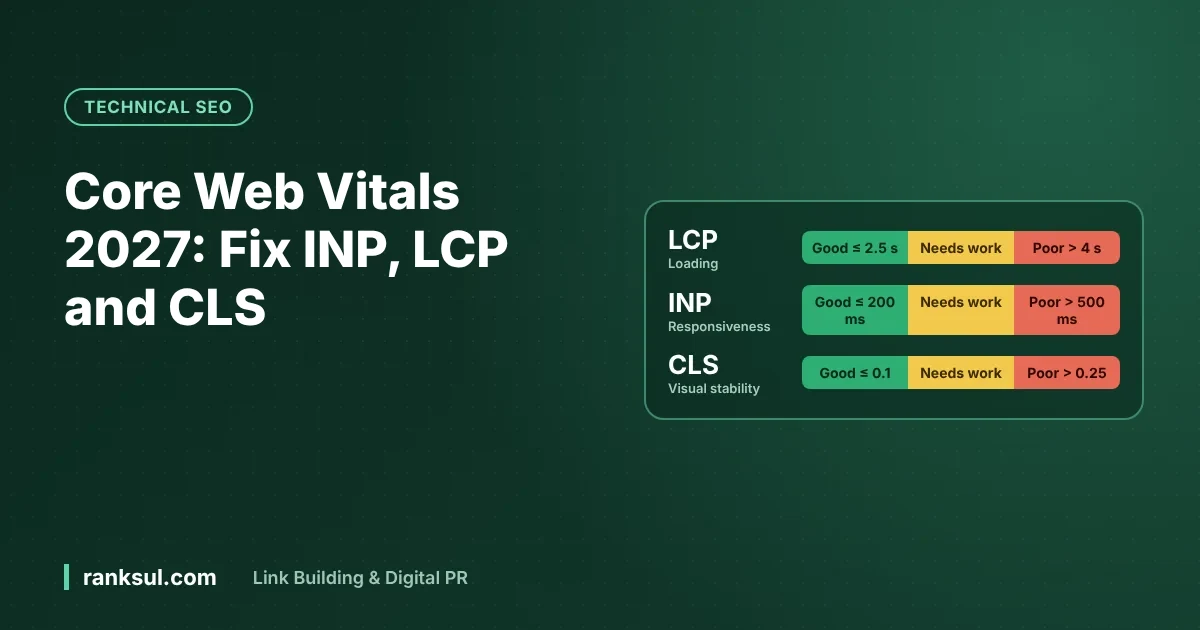
Interaction to Next Paint (INP) replaced First Input Delay as a Core Web Vital in 2024. It measures how quickly a page responds to clicks, taps and key presses throughout a visit. A good INP is 200 milliseconds or less; see the Core Web Vitals overview for all thresholds.
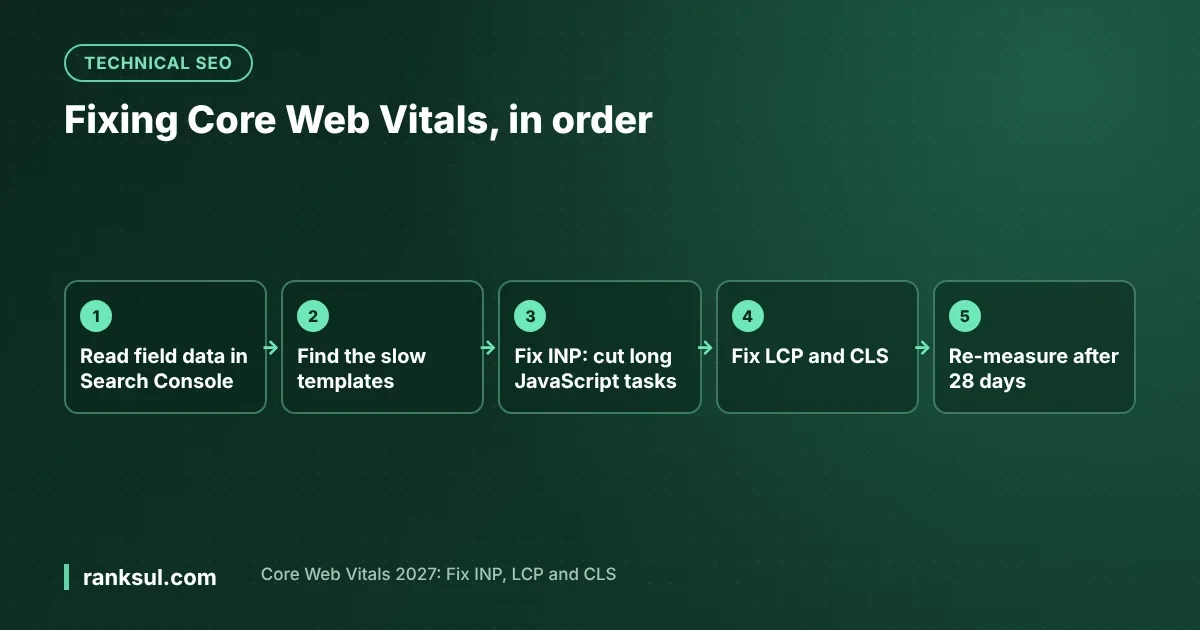
Slow INP is usually caused by long JavaScript tasks on the main thread. Break up long tasks, defer non-essential scripts, remove unused third-party tags and avoid large re-renders on every interaction. Check field data in Search Console first, because lab tests alone can miss real-user problems.
Cutting JavaScript bloat
Heavy JavaScript slows loading and interaction, and content that only appears after scripts run may be crawled late or missed. Google's JavaScript SEO basics recommend making key content and links available in the HTML.
Use server-side rendering or static generation for important pages, split bundles so each page loads only what it needs, and lazy-load below-the-fold widgets. This website is built that way: every page is rendered on the server, so search engines see the full content immediately.
LCP and CLS quick wins
- LCP: serve the main image in a modern format, sized correctly, and preload it
- LCP: reduce server response time with caching and a CDN
- CLS: set width and height on images and embeds
- CLS: reserve space for ads, banners and late-loading elements
Technical SEO and authority work together
A fast, crawlable site lets every link and article reach its full value. Once the foundations are solid, invest in content and editorial links to the pages you fixed. Ranksul's technical SEO service handles the audit and fixes; request a free SEO audit to start.
Core Web Vitals thresholds at a glance
Google assesses each metric at the 75th percentile of page loads, separately for mobile and desktop.
- Largest Contentful Paint (LCP): good ≤ 2.5 s, poor > 4 s
- Interaction to Next Paint (INP): good ≤ 200 ms, poor > 500 ms
- Cumulative Layout Shift (CLS): good ≤ 0.1, poor > 0.25
Field data vs lab data
Field data comes from real Chrome users (the Chrome UX Report) and powers the Core Web Vitals report in Search Console and the top section of PageSpeed Insights. Lab data comes from a single simulated test (Lighthouse). Google uses field data; lab tests are for diagnosis. A page can score 100 in Lighthouse and still fail in the field because real users have slower phones and networks, or interact with heavy parts of the page.
Fixing LCP step by step
- Find the LCP element (usually the hero image or headline) in PageSpeed Insights
- Serve it from your own domain, in a modern format (WebP or AVIF), at the right size
- Do not lazy-load the LCP image; give it fetchpriority="high"
- Reduce server response time (caching, a CDN, static pages)
- Remove render-blocking CSS and scripts from the critical path
- Self-host fonts and avoid layout-blocking font loading
Fixing INP step by step
- Find slow interactions in field data (Search Console, or a real-user monitoring tool)
- Break up long JavaScript tasks so the main thread can respond
- Defer third-party scripts (chat widgets, tag managers, A/B testing) or load them after interaction
- Avoid re-rendering large parts of the page on each click or keystroke
- Show visual feedback immediately, then do heavy work
Fixing CLS step by step
- Set width and height (or aspect-ratio) on images, videos and embeds
- Reserve space for ads, banners and cookie notices
- Avoid inserting content above existing content after load
- Use font-display settings that do not cause large text reflows
How much do Core Web Vitals affect rankings?
Core Web Vitals are part of Google's page experience signals, which Google describes as one factor among many; relevance and content quality still matter far more. Treat them as a tie-breaker and a conversion booster: faster, stable pages keep more visitors, which matters whether or not rankings move.
Tools to measure Core Web Vitals
- Search Console Core Web Vitals report: groups of URLs failing in the field
- PageSpeed Insights: field data for a URL or origin, plus a lab test with suggestions
- Chrome DevTools Performance panel: find long tasks and slow interactions
- Lighthouse: repeatable lab tests in development
- Real-user monitoring (for example the web-vitals library): your own field data per page and interaction
Example: fixing a slow hero image
A typical scenario: a page has an LCP of around 4 seconds on mobile, and the LCP element is a large JPEG hero (over 1 MB) loaded by a slider script. The usual fixes are to convert the image to WebP or AVIF at the displayed size, replace the slider with a single static image, give it fetchpriority="high" and self-host the font.
Check the lab result straight away, then wait for about four weeks of field data to confirm the change, because Search Console reports on a rolling 28-day window. The pattern is common: the LCP element is usually one large asset loaded too late.
Frequently asked questions
Do Core Web Vitals affect rankings?
They are part of Google's page experience signals. Relevance and content quality matter more, but good performance helps, especially between similar pages, and always helps conversions.
What replaced First Input Delay?
Interaction to Next Paint (INP), which measures responsiveness across the whole visit rather than only the first interaction.
Is crawl budget a problem for small sites?
Rarely. It matters mainly for sites with many thousands of URLs or frequent changes, but avoiding duplicates helps every site.
Why does PageSpeed Insights show different scores each time?
The lab test runs on a simulated device and network and varies between runs. The field data section, based on 28 days of real users, is more stable and is what counts for Core Web Vitals.
What is a good INP score?
200 milliseconds or less at the 75th percentile of interactions is good; above 500 milliseconds is poor.
Want Ranksul (ranksul.com) to execute this strategy for your domain?
Book a complimentary strategy call. We will audit your current topical authority, editorial backlinks, and content clusters.